
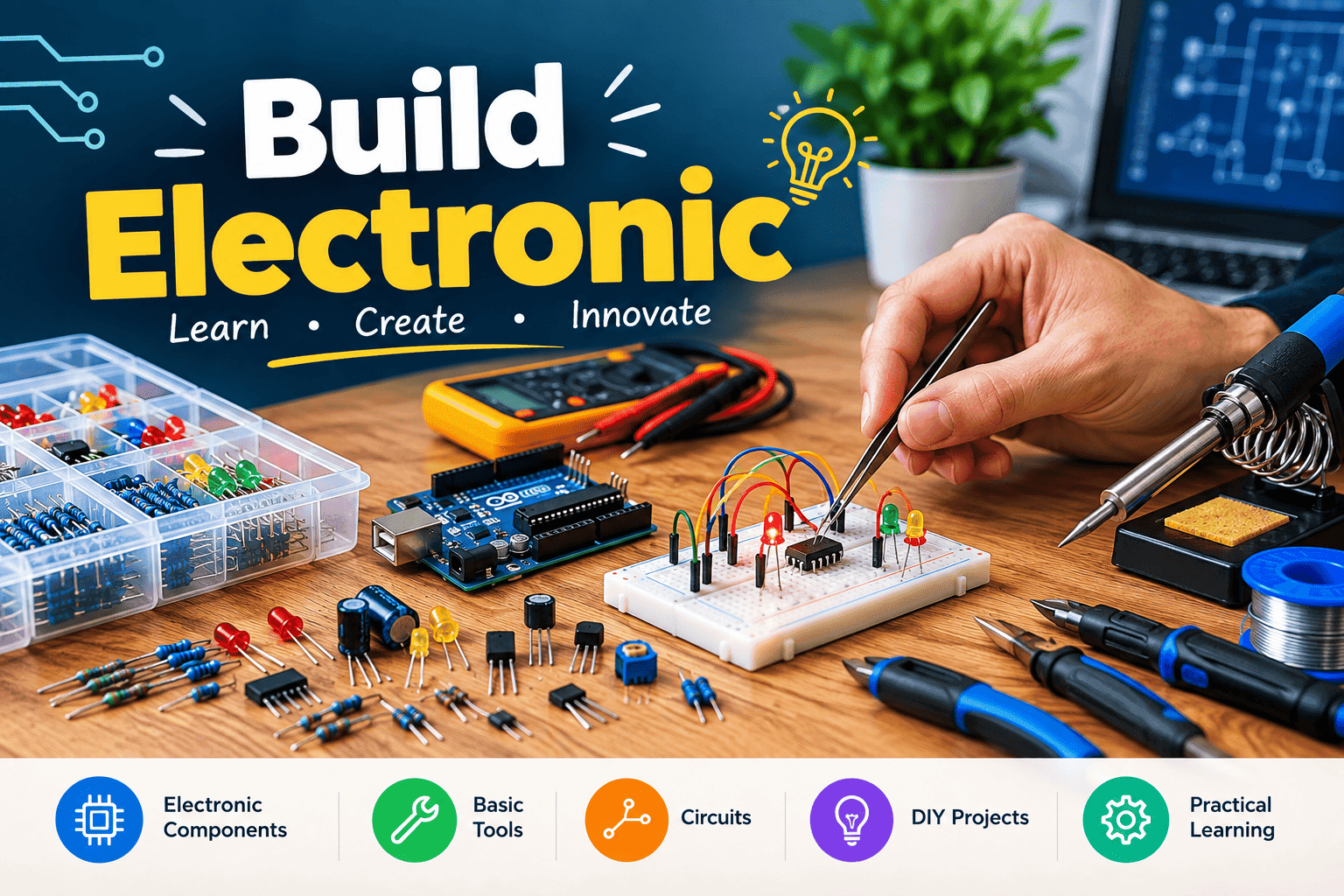
Build Electronic circuits is a useful skill for beginners who want to understand how everyday electronic devices work. From simple LED lights and buzzers to sensors, robotics, and smart devices, electronic circuits are the foundation of countless modern technologies. Although electronics may seem complicated at first, beginners can learn the basics by starting with simple components and practical projects.
You do not need an advanced laboratory or expensive equipment to begin. With a breadboard, jumper wires, resistors, LEDs, a safe low-voltage power source, and a few other basic components, you can start building and testing your own circuits.
This beginner-friendly guide explains how to build electronic circuits in five simple steps. It also includes 10 starter projects that can help you practice what you learn and gradually develop your electronics skills.
What Are Electronic Circuits?
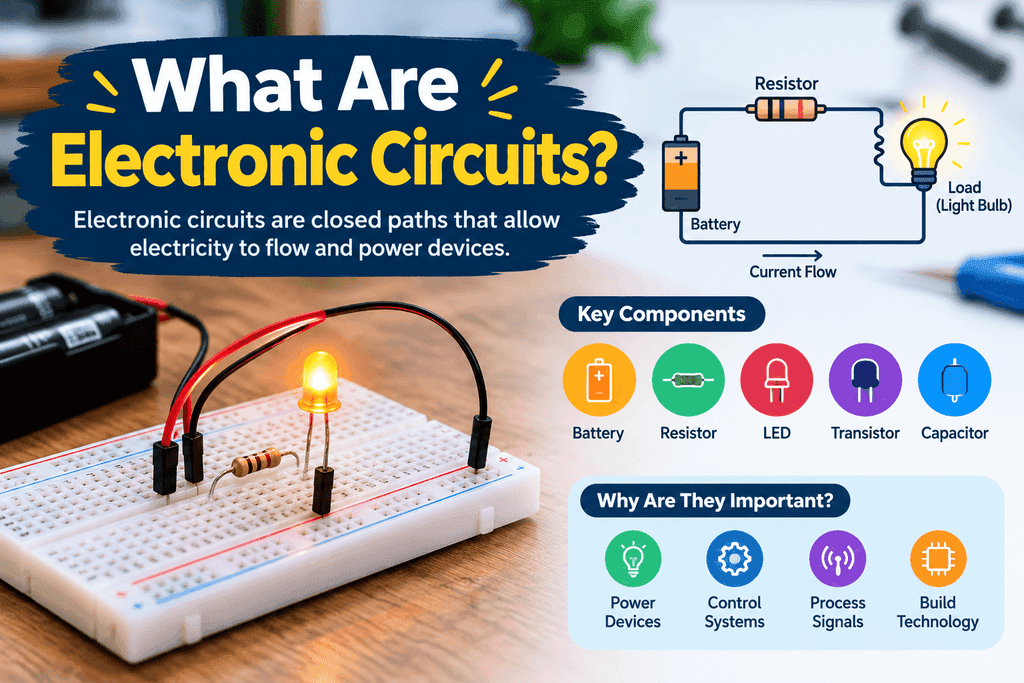
An electronic circuit is a connected system of electrical and electronic components that allows current to flow and perform a specific function. A circuit normally requires a power source and a complete path for electricity to travel.
Common components used in electronic circuits include resistors, LEDs, capacitors, switches, diodes, transistors, sensors, buzzers, and integrated circuits.
Each component has a specific purpose. For example, a resistor limits electrical current, an LED produces light, a switch controls a connection, and a capacitor stores electrical energy for a period of time.
Understanding how these components work together is the foundation of learning electronics.
Basic Tools for Building Electronic Circuits
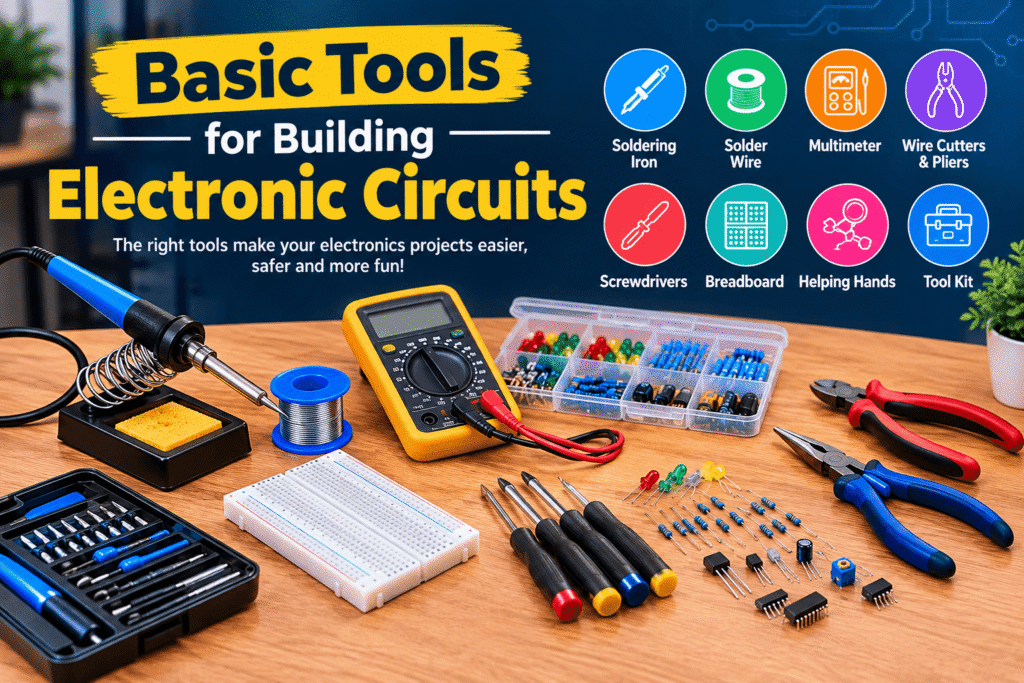
Before starting your first project, it is helpful to collect a few basic tools and components. Beginners can complete many simple projects without expensive equipment.
Some useful items include:
- Solderless breadboard
- Jumper wires
- LEDs
- Resistors
- Push buttons
- Capacitors
- Diodes
- Small transistors
- Buzzer
- Battery holder
- Low-voltage power supply
- Digital multimeter
A solderless breadboard is especially useful because it lets you connect components without permanently soldering them together. This makes it easy to modify a circuit and correct wiring mistakes.
For beginner projects, it is safer to work with low-voltage battery-powered circuits rather than household mains electricity.
5 Simple Steps to Build Electronic Circuits
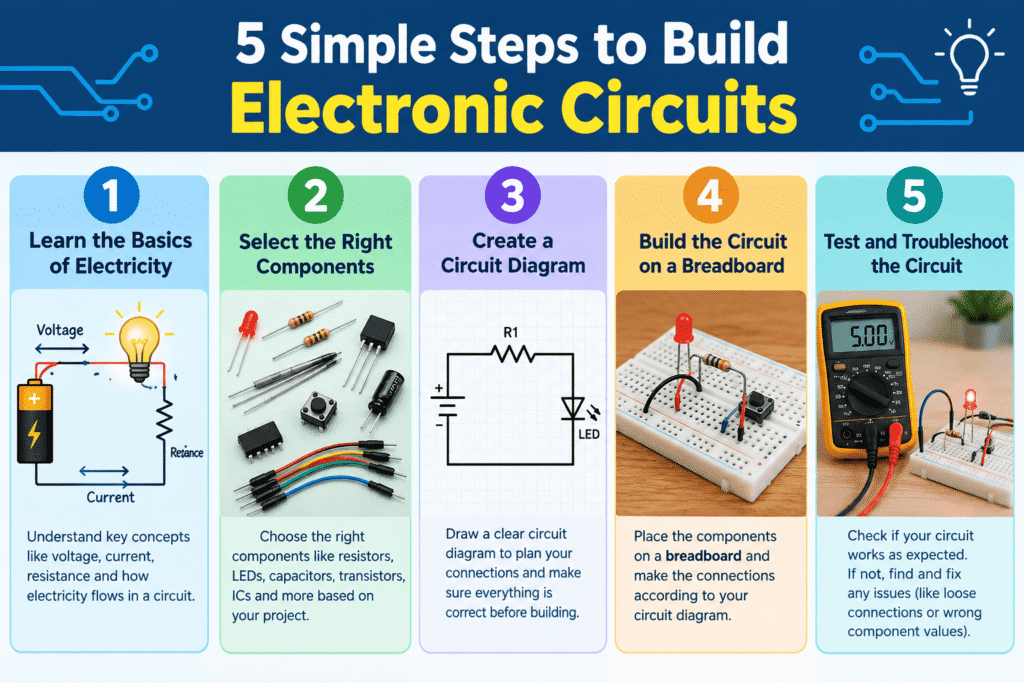
Step 1: Learn the Basics of Electricity
The first step is to understand a few basic electrical concepts. You do not need advanced mathematics to begin, but you should know what voltage, current, and resistance mean.
Voltage is the electrical potential that pushes current through a circuit. It is measured in volts (V).
Current is the flow of electrical charge through a circuit and is measured in amperes or amps (A).
Resistance controls or limits the flow of current and is measured in ohms (Ω).
One of the most important formulas for beginners is Ohm’s Law:
V = I × R
This formula shows the relationship between voltage, current, and resistance.
You should also learn the difference between series and parallel circuits. In a series circuit, components are connected along a single path. In a parallel circuit, components are connected across multiple paths.
Understanding these concepts will make it easier to design and troubleshoot your circuits.
Step 2: Select the Right Components
After learning the basics, choose the components needed for your project.
For example, a basic LED circuit may require an LED, a resistor, jumper wires, a breadboard, and an appropriate low-voltage power source.
It is important to check the specifications of each component before connecting it. Electronic components have different voltage, current, and power requirements.
LEDs, for example, normally require current limiting. Using an appropriate resistor helps prevent excessive current from damaging the LED.
You should also pay attention to component polarity. Some components, including many LEDs, diodes, and electrolytic capacitors, have positive and negative connections that must be oriented correctly.
Reading the labels and specifications of components before using them can prevent many common beginner mistakes.
Step 3: Create a Circuit Diagram
Before building your circuit physically, create a simple circuit diagram.
A circuit diagram provides a visual representation of how components should be connected. You can draw a basic diagram on paper or use electronics design software.
For a simple LED project, your diagram might show the power source connected to a resistor and then to an LED before returning to the power source.
When designing a circuit, check the following:
- Power supply voltage
- Component ratings
- Resistor values
- LED or diode polarity
- Current requirements
- Connections between components
Start with simple designs. Trying to build a complicated circuit as your first project can make troubleshooting much harder.
A clear circuit diagram gives you a reference to follow when placing components on the breadboard.
Step 4: Build the Circuit on a Breadboard
Once your design is ready, you can begin building the physical circuit.
Place your components into the appropriate breadboard holes and use jumper wires to connect them according to your circuit diagram.
Breadboards have internal electrical connections between groups of holes, so learning how the rows and power rails are arranged is important.
Take your time during this stage. A single misplaced jumper wire can prevent an otherwise correct circuit from working.
It is also helpful to keep your wiring organized. Shorter and clearly arranged wires make circuits easier to understand and troubleshoot.
Before connecting the power source, compare your physical circuit with your circuit diagram. Check every connection carefully.
Do not immediately increase the voltage if a circuit does not work. First identify the problem and confirm that all components are being operated within their intended specifications.
Step 5: Test and Troubleshoot the Circuit
Testing is an important part of electronics. Your first circuit may not work perfectly, and that is completely normal when learning.
If the circuit does not work, begin by checking the power source. Make sure the battery is charged and the connections are correct.
Next, inspect the breadboard connections. Confirm that the jumper wires and components are placed in the correct rows.
You should also check component orientation. A reversed LED or diode can prevent a circuit from functioning correctly.
A multimeter can be extremely useful for checking voltage, resistance, continuity, and other electrical measurements.
Common beginner problems include:
- Incorrect wiring
- Loose jumper wires
- Dead batteries
- Incorrect resistor values
- Reversed components
- Short circuits
- Incorrect power supply
- Damaged components
Troubleshooting is not just about fixing mistakes. It helps you understand why a circuit works and how individual components interact.
10 Starter Electronic Circuit Projects
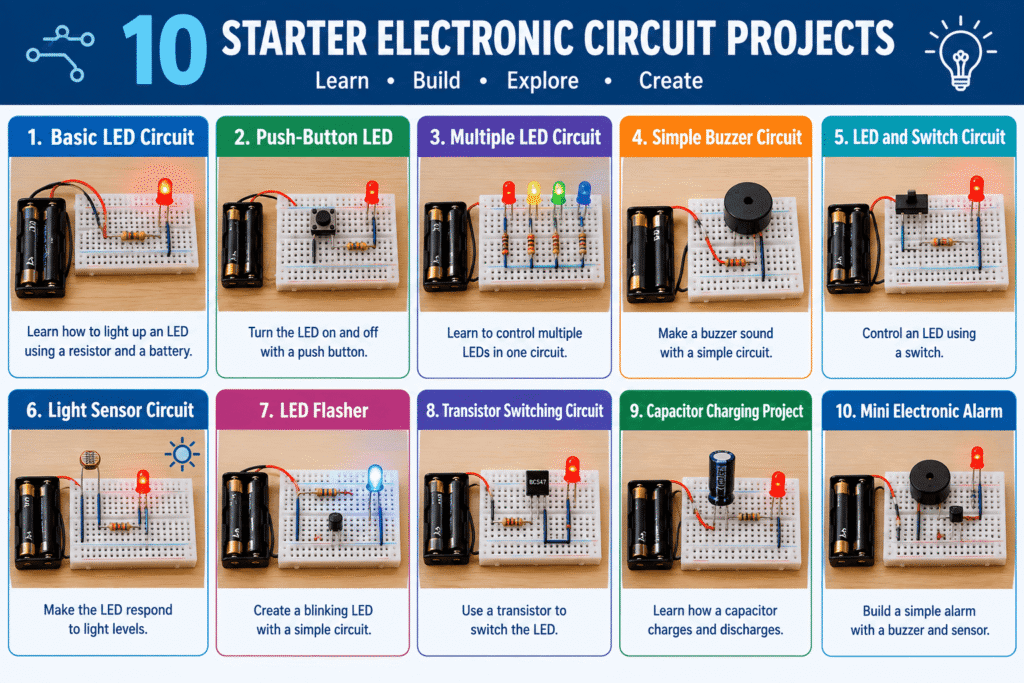
Once you understand the five basic steps, you can begin practicing with simple projects. The following projects are suitable starting points for beginners.
1. Basic LED Circuit
A basic LED circuit is one of the simplest electronics projects. Use an LED with an appropriate resistor and a suitable power source.
This project teaches you about polarity, current limiting, and basic circuit connections.
2. Push-Button LED
Add a push button to an LED circuit. Pressing the button can complete the circuit and turn the LED on.
This project introduces the basic idea of using a switch as an input.
3. Multiple LED Circuit
Build a circuit using several LEDs. You can experiment with different arrangements while learning about series and parallel connections.
Always make sure each component is operated within its appropriate electrical limits.
4. Simple Buzzer Circuit
Use a small buzzer and switch to create a circuit that produces sound when activated.
This is a simple project for learning about electronic outputs.
5. LED and Switch Circuit
Combine an LED, resistor, switch, and power source. Experiment with opening and closing the circuit using the switch.
This helps reinforce the relationship between circuit continuity and current flow.
6. Light Sensor Circuit
Use a light-dependent resistor, also called an LDR, to create a circuit that responds to changes in light.
This project provides an introduction to sensors and variable resistance.
7. LED Flasher
Create a circuit that repeatedly turns an LED on and off. Depending on the design, this can introduce concepts such as timing and electronic switching.
It is a useful step toward more advanced electronics projects.
8. Transistor Switching Circuit
A transistor can be used as an electronic switch. A simple transistor circuit can help beginners understand how a small control signal can control another part of a circuit.
This is an important concept used in many electronic systems.
9. Capacitor Charging Project
Use a capacitor with suitable supporting components to observe how it charges and discharges.
This project introduces the concept of electrical energy storage and can help explain timing behavior in circuits.
10. Mini Electronic Alarm
Combine a switch, buzzer, and other basic components to create a simple alarm.
This project brings several beginner concepts together and can be customized for different purposes.
Important Safety Tips

Safety should always be a priority when learning electronics.
Beginners should start with low-voltage circuits powered by batteries or other appropriate sources. Avoid experimenting directly with household electrical outlets because mains electricity can cause serious injury or damage.
Before applying power, check your circuit carefully for incorrect connections and possible short circuits.
Make sure every component is rated for the voltage and current being used. If a component becomes unusually hot, produces an unusual smell, or appears damaged, disconnect the power immediately.
Keep liquids away from electronic equipment and work in a clean, dry environment.
How to Improve Your Electronics Skills
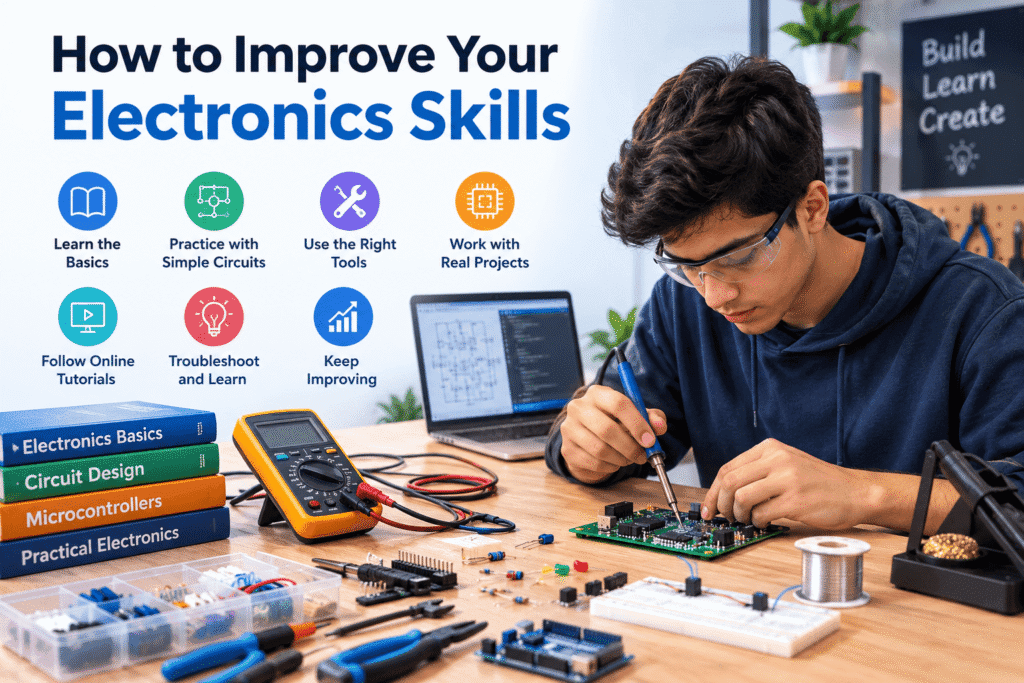
After completing basic projects, you can gradually move toward more advanced circuits.
Start learning about transistors, diodes, capacitors, integrated circuits, sensors, and microcontrollers. You can eventually explore projects involving Arduino boards, robotics, automation, smart devices, and other programmable systems.
Learning to read datasheets is also an important skill. Datasheets provide information about component specifications, electrical limits, pin configurations, and recommended operating conditions.
You should also practice reading circuit diagrams. The better you become at understanding diagrams, the easier it will be to build circuits created by other electronics enthusiasts.
Another useful habit is keeping notes about your projects. Record which components you used, how you connected them, what happened, and what changes you made. This can help you understand mistakes and improve future designs.
Benefits of Learning Electronic Circuits
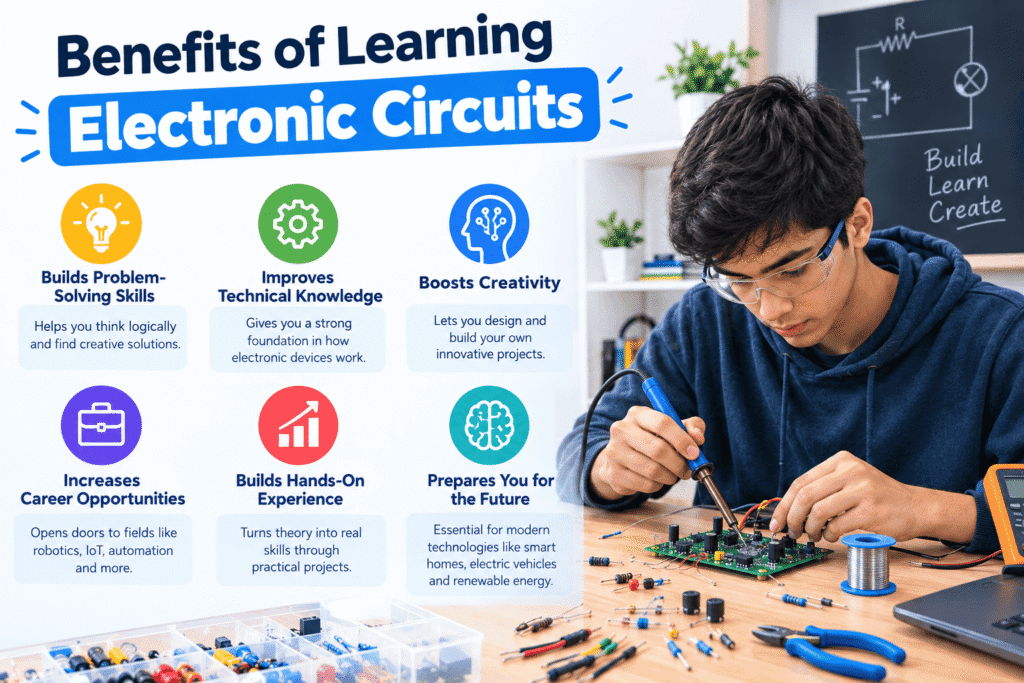
Learning electronics can provide several practical and educational benefits.
First, it develops problem-solving skills. When a circuit does not work, you need to identify the cause and find a solution.
Second, electronics encourages hands-on learning. Instead of only reading about voltage and current, you can observe these concepts through real projects.
Third, basic electronics knowledge can support other technical fields. Robotics, computer hardware, automation, embedded systems, and many engineering disciplines involve electronic circuits.
Finally, building circuits can be an enjoyable hobby. Simple projects can gradually develop into more creative and advanced inventions.
Final Thoughts
Building electronic circuits becomes much easier when you approach the process step by step. Start by learning basic electrical concepts, select the right components, design a simple circuit, build it carefully on a breadboard, and test the finished project.
The 10 starter projects in this guide provide practical opportunities to develop your skills. Begin with simple LED and switch circuits before moving toward sensors, transistors, capacitors, and more advanced electronic systems.
Most importantly, be patient and learn from your mistakes. Electronics is a practical skill, and every circuit you build can teach you something new. With regular practice and safe experimentation, you can develop the knowledge needed to create increasingly complex electronic projects.
FAQs
1. What is the easiest electronic circuit for a beginner?
A basic LED circuit is one of the easiest electronic circuits for beginners. It uses only a few components and helps you understand fundamental concepts such as voltage, current, resistance, polarity, and circuit connections.
2. Can I build electronic circuits without soldering?
Yes. A solderless breadboard allows beginners to build and test many electronic circuits without soldering. Components can be inserted, removed, and rearranged easily, making breadboards useful for learning and experimenting.
3. What components should I buy for beginner electronics projects?
A beginner can start with a breadboard, jumper wires, LEDs, resistors, push buttons, capacitors, diodes, a few transistors, a small buzzer, and a safe low-voltage power source. A digital multimeter is also useful for testing circuits.
4. Why do LEDs usually need a resistor?
A resistor helps limit the current flowing through an LED. Without suitable current limiting, excessive current can damage the LED or cause it to operate outside its intended specifications.
5. Is it difficult to learn how to build electronic circuits?
Basic electronic circuits are accessible to many beginners. Starting with simple projects and learning the fundamentals of voltage, current, resistance, components, and circuit connections can make the subject easier. Hands-on practice is one of the best ways to develop electronics skills.